› 5 blocks unchanged
• Немного странно
› 6 blocks unchanged
• Используйте жирный шрифт, чтобы кнопки выделялись
• Оптимизируйте CTA-кнопки для мобильных устройств
› 17 blocks unchanged
A native Markdown app that turns reading into learning. Instant translation, vocabulary building, AI writing, and 10+ diagram engines — all in one lightweight tool.
An AI-native Markdown reader & writer for immersive reading, vocabulary building, and effortless writing.
Immersive Reading · Instant Translation · Vocabulary Book · 10+ Diagram Engines · AI Writing · File Encryption
1 Supports bidirectional links, KaTeX math formulas, and custom skins.
From immersive reading to vocabulary building to AI-powered writing. Every feature designed for learning and productivity.
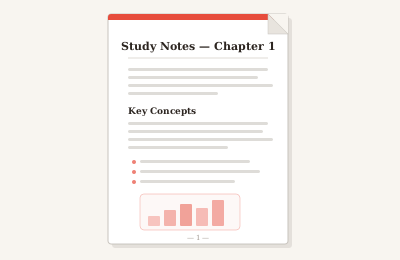
Print-ready documents with custom headers, footers, and page settings. Perfect for sharing study notes and reports.
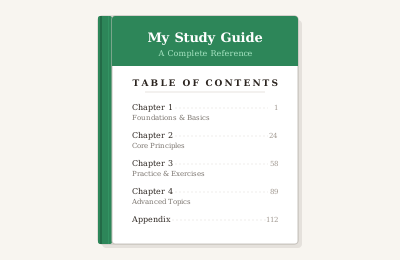
E-book publishing format with chapter navigation. Write in Markdown, publish as a book.
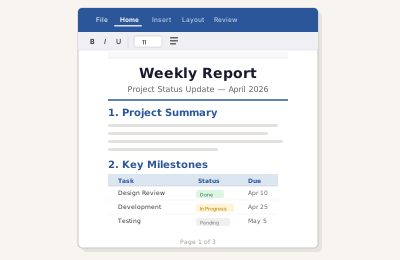
Export to .docx for seamless Office collaboration. Preserves headings, tables, and images.
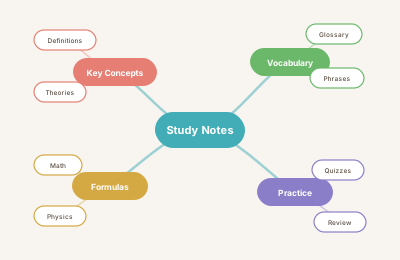
Transform your notes into interactive mind maps. Great for reviewing and organizing knowledge.
Most Markdown editors stop at rendering. Markly turns reading into learning — distraction-free reading mode, instant word lookup in 20+ languages, color-coded highlights with margin notes, and a vocabulary book that captures every new word with its original context and pronunciation. Just read, and your word bank grows with you.
AI sidebar chat, floating toolbar, and custom AI skills make writing effortless. Render 10+ diagram types — Mermaid, PlantUML, Graphviz, Draw.io, ECharts — entirely offline. Export to PDF, Word, EPUB, or interactive Mind Map. Encrypt sensitive files with AES-256-GCM. Everything you need to write, visualize, and publish — all in one app.
Choose from beautifully crafted themes — or let AI generate one just for you.
MarklyMarklyMarklyMarklyMarklyMarklyRequires macOS 13.0 or later
Markly offers a one-time Lifetime License for just $19.9 (originally $29.9) — pay once, own it forever. This includes all features: immersive reading, unlimited vocabulary book, AI writing, 10+ diagram engines, all export formats, file encryption, and every future premium feature. A subscription plan is also in the works.
Markly is the only Markdown editor designed around a read-learn-write workflow. While others focus on writing or note-taking, Markly adds immersive reading with instant translation, vocabulary building, color-coded document annotations, and AI-powered writing — all in one native app. It's built for people who read to learn.
While reading, select any word to see its translation and save it to your vocabulary book with one click. Each entry includes the original context, translation, and pronunciation. You can browse, search, and review words anytime in the vocabulary panel.
Yes. Editing, reading, all 10+ diagram engines, file encryption, export, and document history work completely offline. Only AI features and translation require an internet connection to call LLMs. Your documents are always stored locally on your device.
Absolutely. Markly is a local-first app — all your files stay on your device. File encryption uses AES-256-GCM with PIN protection, and keys exist only in memory (destroyed when the app closes). AI conversations send only the current document context and are never stored on any server.
Yes, the AI assistant and translation features require an internet connection to call LLMs. You can connect to any OpenAI-compatible API (OpenAI, Claude, local models via Ollama, etc.). Your document content is only sent during conversations and is never stored.
Currently available on macOS 13.0 and above. Windows and Linux versions are in development and coming soon. Markly is built with Tauri for native performance — no Electron bloat.
Yes. Markly supports custom skins with light and dark modes. Choose from built-in themes, browse the community theme market, or describe a style and let AI generate a unique theme for you. You can also share themes via link.